
Reservations
Bookings from creation to seating, with deposits, no-show handling and email reminders.
Sofra’s reservation engine decides in one place whether a table is free, so bookings made from the POS, the online booking page, reschedules, walk-ins, the waitlist and table merges can never overbook the same table.
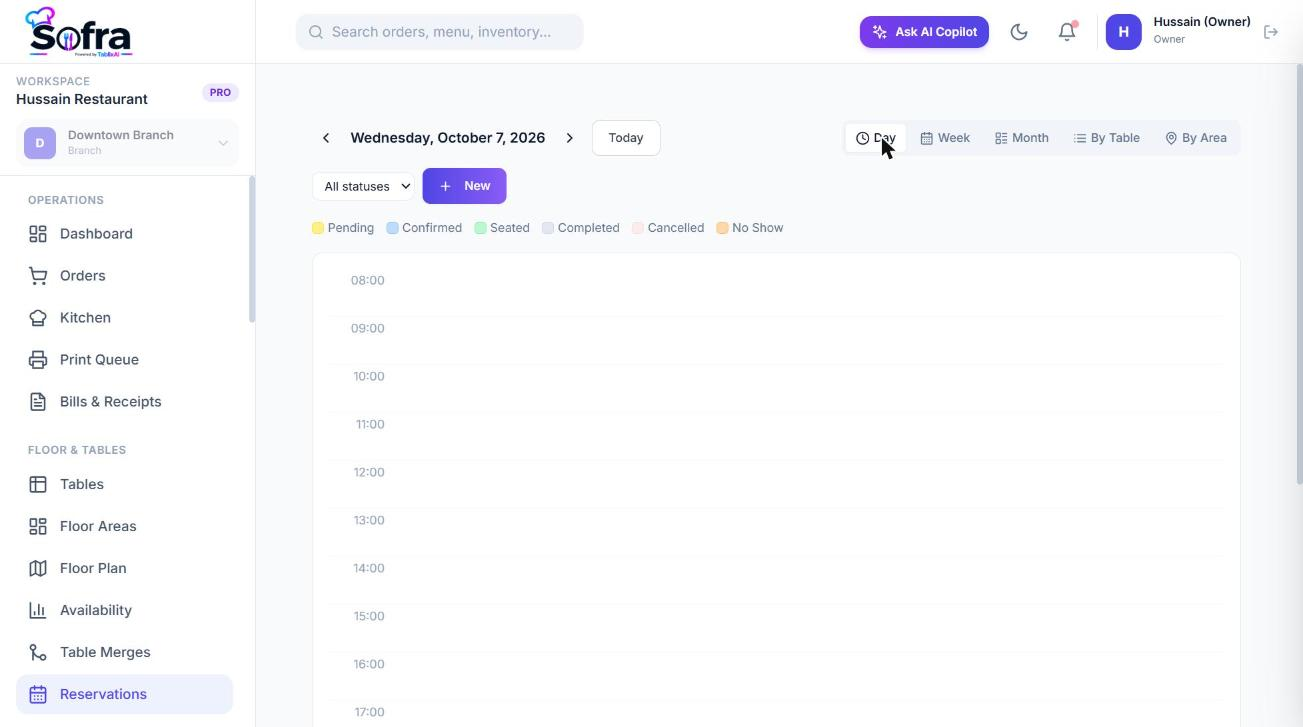
Create a reservation
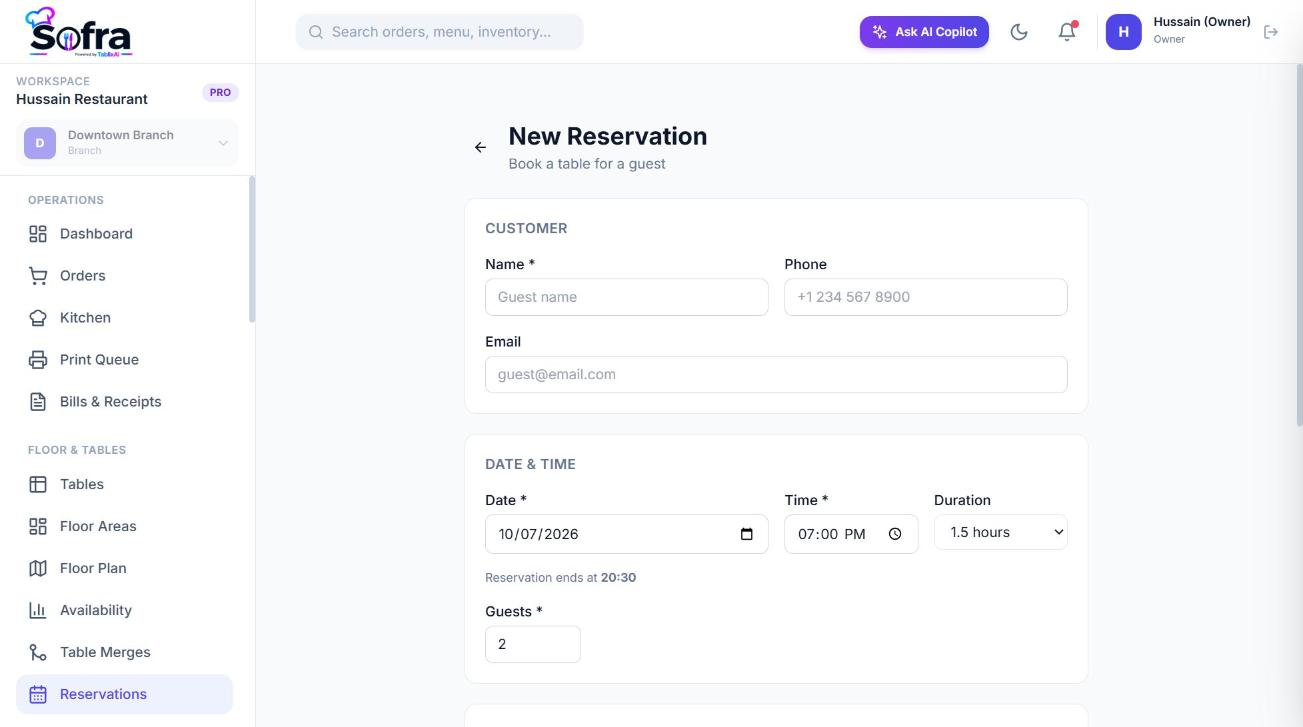
Go to Floor & Tables → Reservations and choose New Reservation.
| Field | Notes |
|---|---|
| Customer | Search an existing customer or type a name, phone and email. Different names on the same phone number trigger a warning. |
| Date and start time | Must be within the branch’s opening hours and not in the past. |
| Duration | 1, 1.5, 2, 2.5 or 3 hours. Default 90 minutes. |
| Guests | Party size. |
| Occasion | None, birthday, anniversary, business dinner or other. |
| Source | POS, phone, website, QR or WhatsApp. |
| Table | Choose a table, or Auto-assign best available table. Optionally filter by floor area. |
| Special requests and internal notes | Requests are the guest’s; internal notes are for staff only. |
Auto-assign picks the best-fit table (least wasted seats). For groups larger than any one free table, Sofra suggests combinations of tables (pairs first, then triples) in the same area.
What makes a table available
- The table is not blocked or out of service (a block with an end time stops applying when it ends).
- The party fits its capacity (staff can override with a reason).
- The dining area is not closed on that date.
- The window is inside the branch’s opening hours and not on a closed day. Overnight hours are supported.
- No other active reservation overlaps, counting a cleaning buffer after each booking (default 15 minutes).
- The table is not part of an active merge.
- If the table is physically busy right now, it only blocks bookings that start in the next 30 minutes, so an 8 pm booking is fine even if the table is occupied at 6 pm.
- A party still seated past its booked end keeps the table until it leaves.
Lifecycle
| Status | Meaning |
|---|---|
| Pending | Created, awaiting confirmation (online bookings start here). |
| Confirmed | Staff confirmed it. |
| Arrived | The guest is at the restaurant. |
| Seated | Seated at a table. |
| Ordering / Dining / Bill | Progress while the party is at the table. |
| Completed | Finished. |
| Cancelled | Cancelled, with a reason. |
| No-show | The guest never came and staff recorded it. |
| Expired | Never arrived and was closed automatically (see below). |
- 1
Confirm
Marks a pending booking as confirmed.
- 2
Arrive
Marks the guest as arrived. Sofra warns if they are early or late, if the booking is not for today, or if the table is not ready yet.
- 3
Seat
Seats the party at the booked or a chosen table (today only), optionally with the real guest count and a waiter. Overriding capacity needs a written reason. The table becomes occupied.
- 4
Create order
Opens a dine-in order on the table, linked to the reservation, ready for items.
- 5
Complete
When the order finishes the reservation completes and the table frees up for cleaning.
Moving and changing bookings
- Edit date, time, table, duration or party size; Sofra re-checks availability atomically, so a change either succeeds fully or is refused.
- Drag and drop a booking on the calendar to move it.
- A booking can be combined with other tables for a large party, and a waiter can be assigned.
- Cancelling a seated party is refused, and cancelling is idempotent.
Calendar views
The calendar offers Day, Week and Month views, can group by table or by area, and is colour-coded by status. The reservations list has filters for area, status and date.
Deposits
- A customer flagged as high-risk (see below) is asked for a deposit when booking online. The default is 10 per guest.
- Staff record a deposit payment against the reservation (method, amount, reference). It is marked paid once it covers the required amount.
- Changing or cancelling within 24 hours of the start is restricted when a deposit is paid: changes need manager approval, and cancelling forfeits the deposit. Outside that window cancelling makes a refund due, which a manager marks refunded.
- A no-show always forfeits a paid deposit.
No-shows, expiry and guest risk
- A booking still pending or confirmed 30 minutes after its start (in the branch’s timezone) is expired automatically and counted as a no-show. The check runs every five minutes.
- Each no-show raises the customer’s count: 2 no-shows make them medium risk, 4 high risk, and any risk above low requires a deposit.
- 5 no-shows restrict the customer from booking online for 7 days; they are told to call instead.
- Staff can also record a no-show by hand. Cancellations are counted separately.
Guest emails
If the guest’s email is on the booking, Sofra sends a confirmation, a reminder shortly before the booking (retried up to three times), an update when it changes and a cancellation notice. A failed email never blocks a booking; the failure is stored on the reservation so staff can phone the guest instead.
Bookings that need a new table
If a table is blocked or taken out of service after being booked, the affected bookings are flagged needs reassignment so staff can move them to another table.
Ready to try it?
Create a free account and follow along.