
Menu catalog
Menus, categories, items, modifier groups and per-channel prices.
You build your menu once, in the global catalog, and every branch can use it. The catalog has four building blocks: menus, categories, menu items and modifier groups.
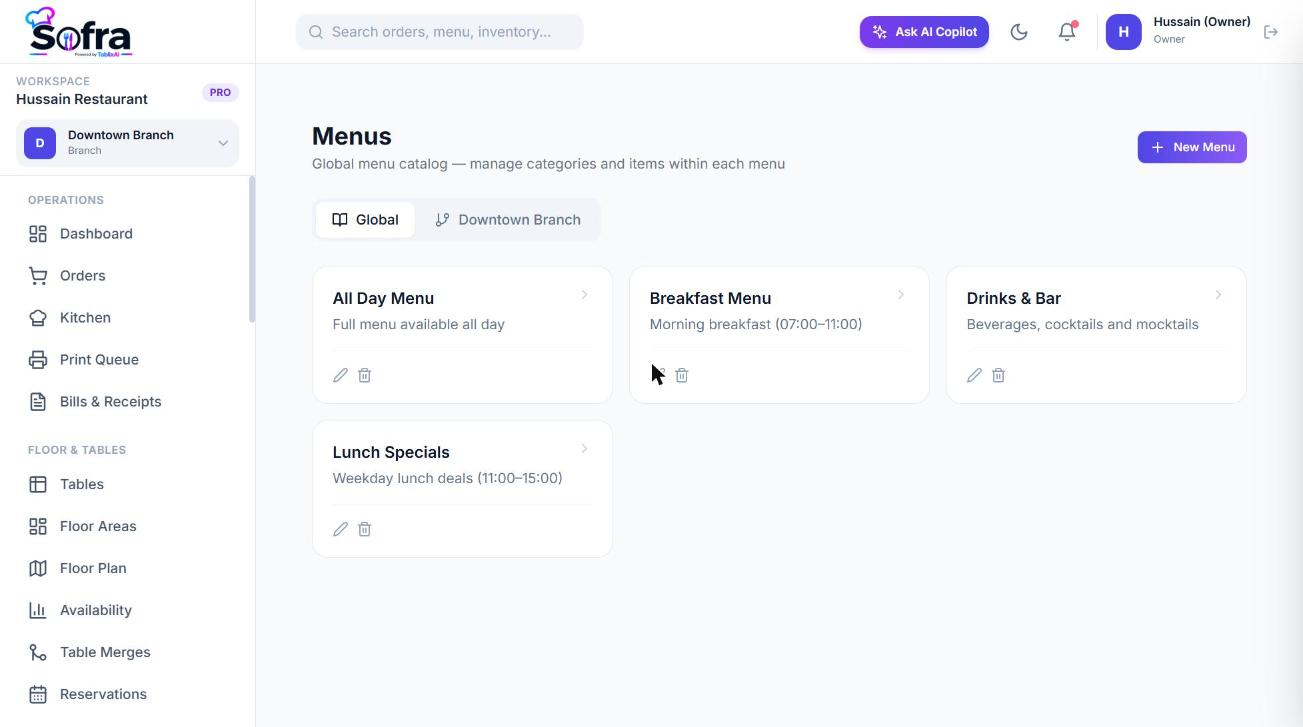
Menus
A menu is a top-level collection such as *All Day*, *Breakfast* or *Ramadan Specials*. Go to Catalog → Menus and choose New Menu: give it a name and description. Branches are then assigned the menus they sell (see Branch menu customization). Without branch customization, every active menu is shown.
Categories
Open a menu and choose Add Category to organise it into sections such as Starters, Mains or Drinks. A category has a name, description, image and sort order. Categories belong to one menu.
Menu items
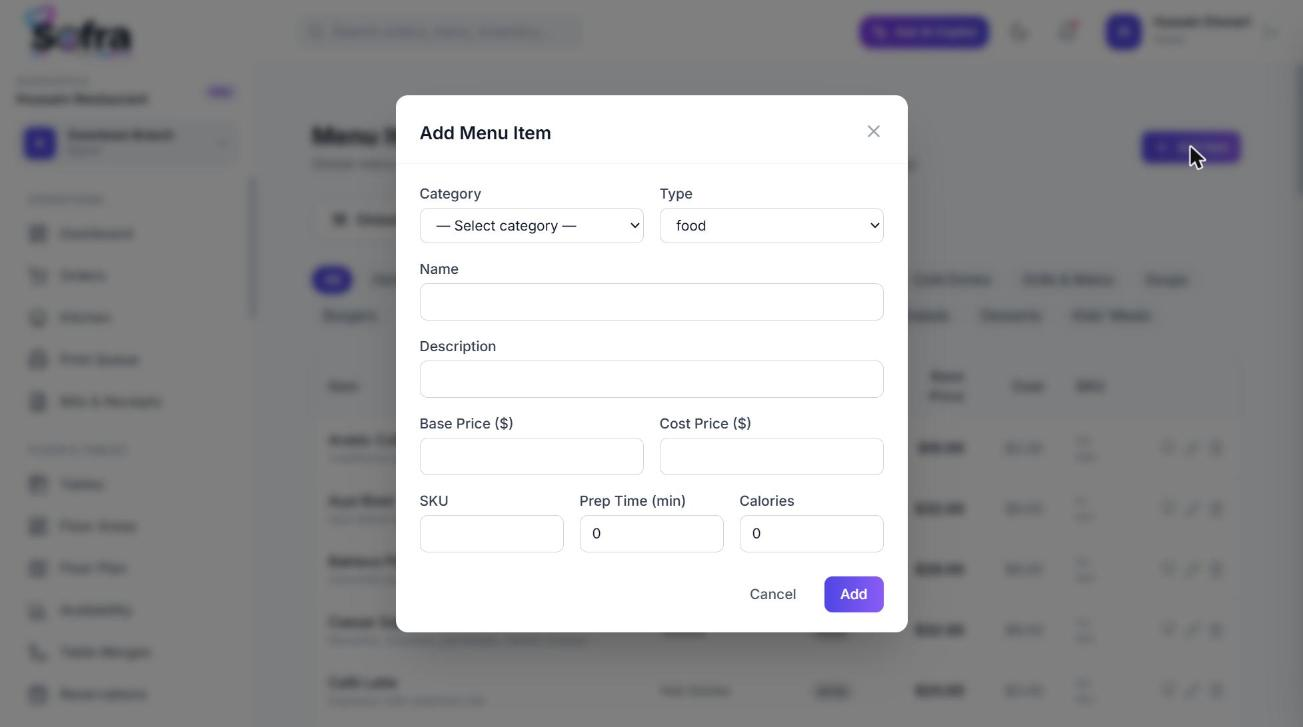
Go to Catalog → Menu Items and choose Add Item.
| Field | Notes |
|---|---|
| Name, description, images | Shown on the POS and tickets. |
| Category | Required. |
| Base price | The selling price. Required. |
| Cost price | What the item costs you. |
| SKU | Your own stock-keeping code. |
| Type | Food, drink, combo or other. |
| Prep time (min) and calories | Informational. |
| Tags and allergens | Free-text lists. |
| Modifier groups | Which option groups apply to this item. |
| Default taxes | Tax definitions attached to the item. |
| Per-channel prices | Separate Dine-in, Takeaway, Delivery, Online and QR prices (set through branch configuration). |
Modifier groups and modifiers
A modifier group is a set of options a guest chooses from: for example *Size*, *Cheese*, *Cooking temperature*. Each option inside is a modifier with its own price (which may be zero).
| Group setting | Meaning |
|---|---|
| Selection type | Single (pick one) or multiple. |
| Required | Whether the guest must choose. |
| Min select / Max select | How many options may be picked. |
Attach groups to the items that need them. At the POS, choosing an item with groups opens a picker, and the order will not be placed until required groups are satisfied.
Modifiers that change preparation
A modifier can also change how the kitchen prepares the item: it can inject extra prep steps after a given step (a quality check, a packing step, a hold) or override the station for the whole item. See Prep stations & workflows.
Recipes
From a menu item you can open its Recipe to link ingredients so stock is deducted when it sells. See Recipes.
Who can edit the catalog
Reading the catalog needs catalog:read; creating and editing needs catalog:write; deleting needs catalog:delete. By default owners and managers have all three.
Ready to try it?
Create a free account and follow along.