
Customers
Profiles with addresses, order and booking history, spend and reliability tracking.
Go to People → Customers to see everyone who has ordered or booked. Customer profiles power quick order entry, delivery addresses and the reservation risk rules.
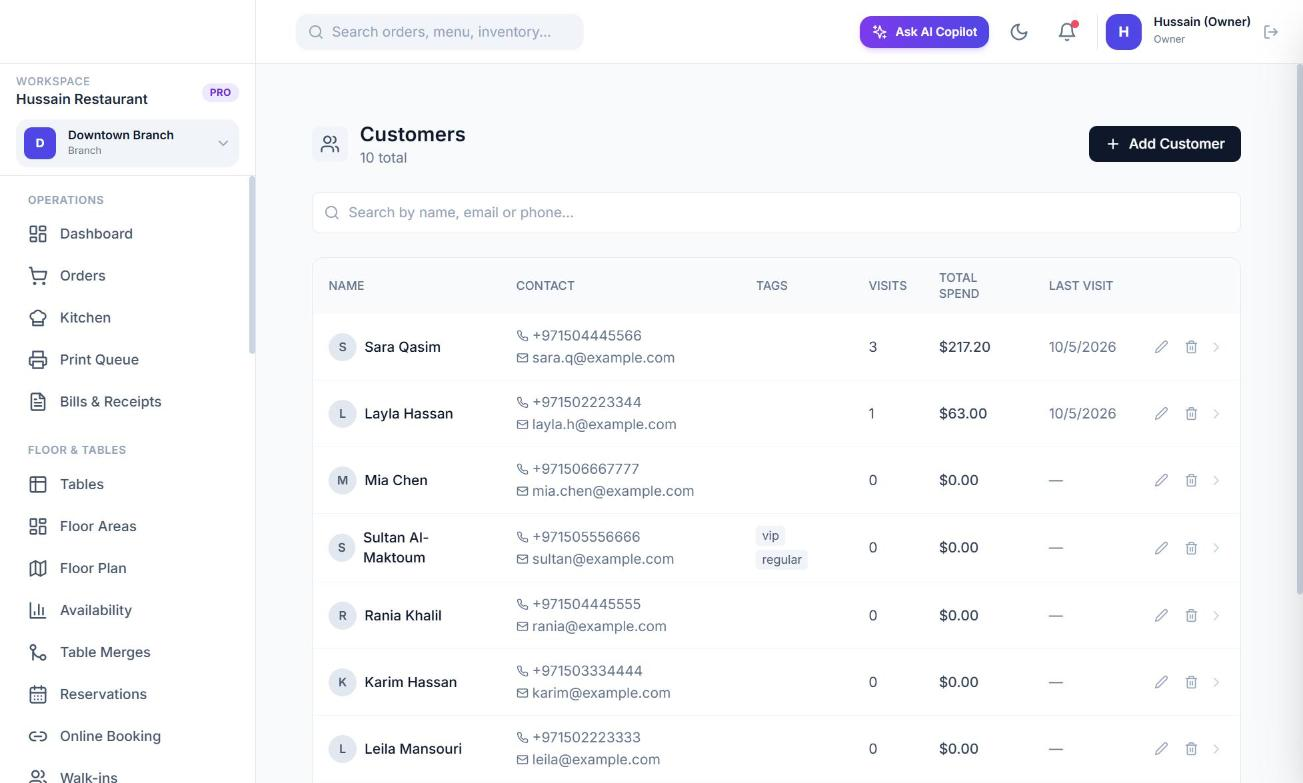
What a profile holds
- Name, phone, email, notes and free-form tags.
- Multiple addresses (Home, Work, Other), each with street, area, city, phone and a default flag.
- Visit count, total spend and last visit, kept up to date automatically when an order completes.
- Reliability fields: no-show count, cancellation count, a risk level (low, medium, high), whether a deposit is required and whether online booking is restricted.
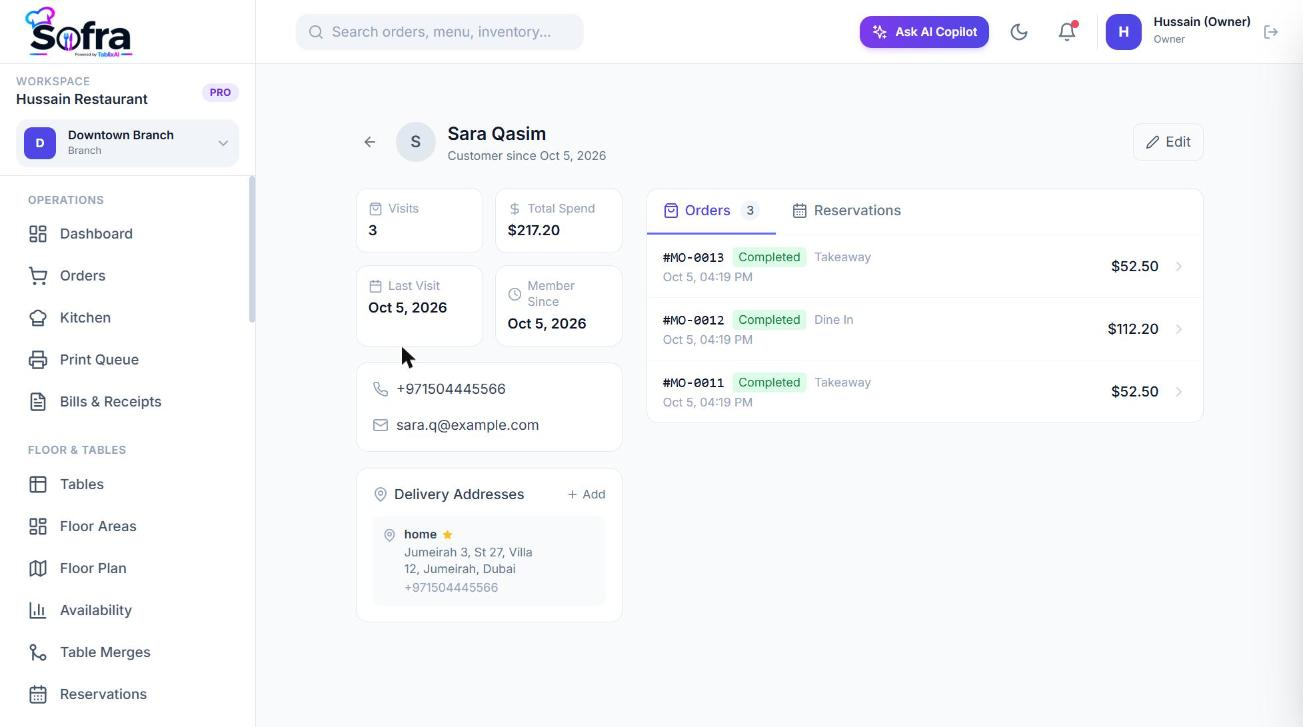
History tabs
Open a customer to see the Orders tab (every order with date, table and total) and the Reservations tab (every booking with its table and status).
Adding and removing
- Choose Add Customer and enter name (required), phone, email, tags and notes. You can also create customers from the POS or by converting a walk-in.
- Removing a customer is a soft delete: they disappear from lists but their order history is preserved.
- Addresses can be added, edited and removed from the profile.
Who sees which customers
With customers:read_all (managers, cashiers) you see every customer. With only customers:read (waiters) you see the customers on your own orders. customers:write is needed to add or edit.
Reliability and deposits
No-shows raise a customer’s risk level, require a deposit for future online bookings and, at five no-shows, restrict them from booking online for a week. See Reservations for the thresholds.
Ready to try it?
Create a free account and follow along.