
Discounts & coupons
Reusable discount rules with role limits, and promo codes with caps and expiry.
Discounts are rules your staff apply at the POS. Coupons are codes a guest presents. Both are managed under Settings and need Basic or above.
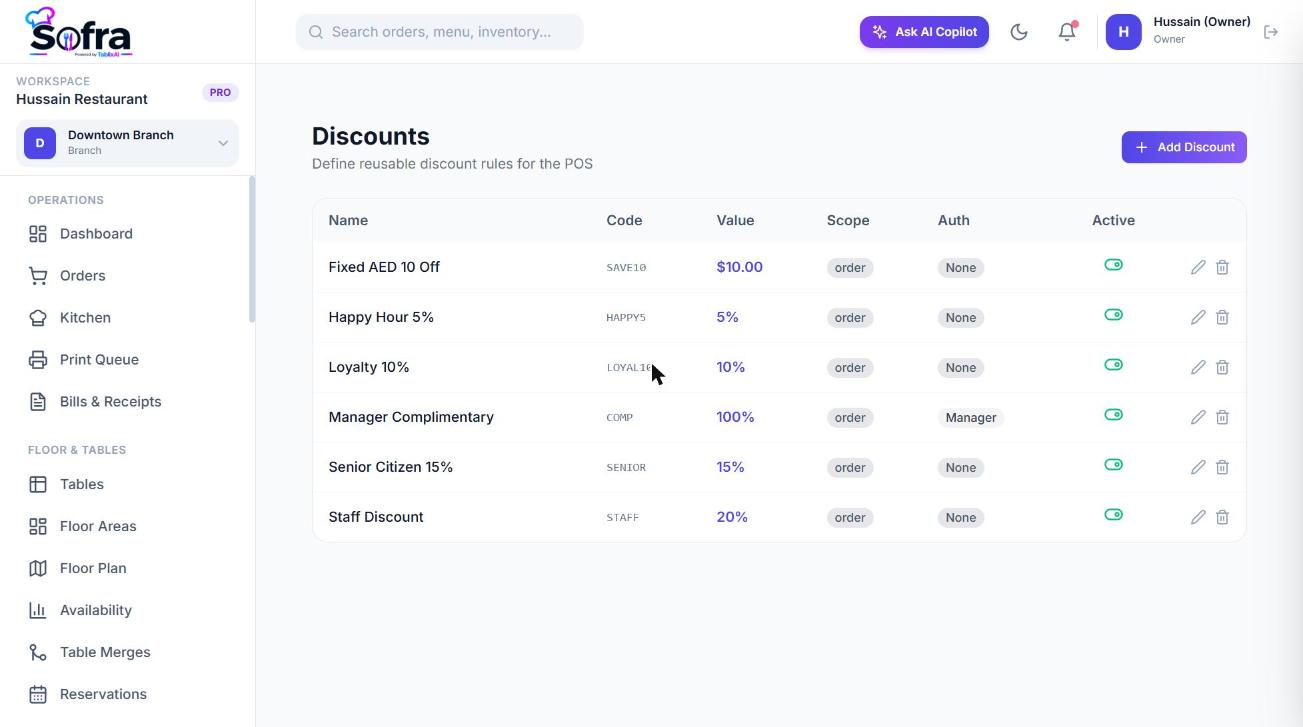
Discounts
Go to Settings → Discounts and choose Add Discount.
| Field | Meaning |
|---|---|
| Name and short code | What staff see; the code is optional. |
| Type and value | Percentage or fixed amount. |
| Scope | Per item, per order or both. |
| Min order amount | Smallest subtotal the discount can be used on. |
| Max discount cap | Upper limit for percentage discounts. |
| Requires auth | Needs manager approval. |
| Role limits | A maximum percentage per role (Owner, Manager, Cashier, Waiter). |
Role discount caps
Separately from discount rules, every role has a maximum discount percentage. When a staff member applies a percentage discount to an order, Sofra checks their role’s cap and refuses discounts above it.
| Role | Default cap |
|---|---|
| Owner, Manager | Unlimited |
| Branch Manager | 20% |
| Cashier | 10% |
| Waiter | 5% |
| Kitchen | 0% (no discounts) |
Owners can change these caps by editing a role. A cap of 0 means the role cannot apply percentage discounts, and no value means unlimited.
Coupons
Go to Settings → Coupons and choose Add Coupon.
| Field | Meaning |
|---|---|
| Code and name | The code guests give you (stored upper-case). |
| Type and value | Percentage or fixed amount. |
| Min order amount | Smallest subtotal the coupon works on. |
| Max discount cap | Limit for percentage coupons. |
| Max uses | Total times the code can be redeemed. Blank means unlimited. |
| Expires at | Date and time the code stops working. |
| Applies to | Specific channels; empty means all. |
At the POS, type the code into the Coupon field. Sofra checks that it exists, is active, has not expired and has uses left, then adds the discount (never more than the amount it applies to) and counts a use. Removing a coupon from an order releases its use.
Applying at the POS
- Use Discount on the order panel for an order-level discount, or Item Discount from an item’s menu for one line.
- Percentage discounts are validated against the role cap; fixed discounts are limited to the subtotal.
- Applying or removing a discount on an existing order needs the
orders:discountpermission.
Ready to try it?
Create a free account and follow along.