
Inventory
Ingredients, warehouses, stock levels, movements and low-stock alerts.
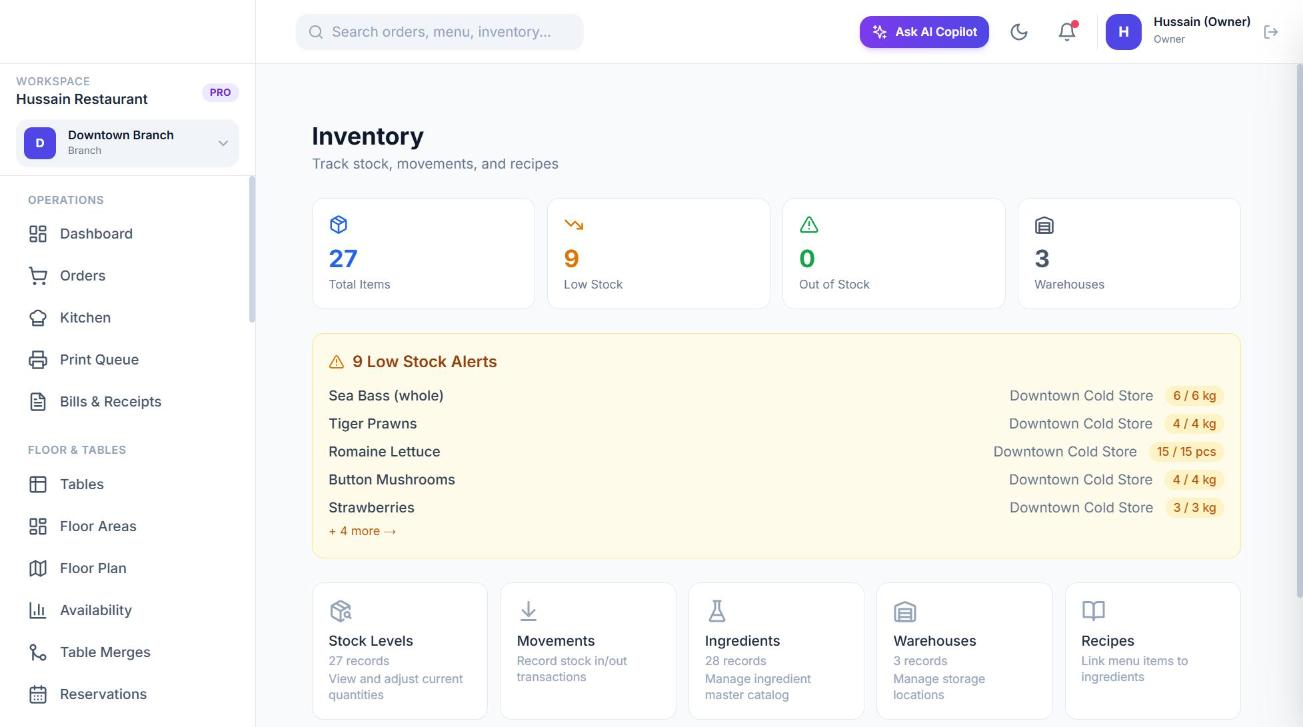
Inventory tracks the ingredients you buy and use, where they are stored, how much you have and every movement in or out. Combined with recipes, it deducts stock automatically when dishes sell.
Set up in this order
- 1
Create warehouses
Storage locations in a branch, such as Main Kitchen Store, Cold Room or Bar. Each has a type: main, cold, dry, bar or other.
- 2
Create ingredients
The master list: flour, mozzarella, tomatoes. Each has a name, category, unit and description.
- 3
Record opening stock
Add a movement of type *Receive* (or set the level directly) for each ingredient in each warehouse.
- 4
Set reorder levels
On each stock item set the reorder level (the low-stock trigger), max level and cost per unit.
- 5
Link recipes
Connect menu items to ingredients so sales deduct stock. See Recipes.
Warehouses
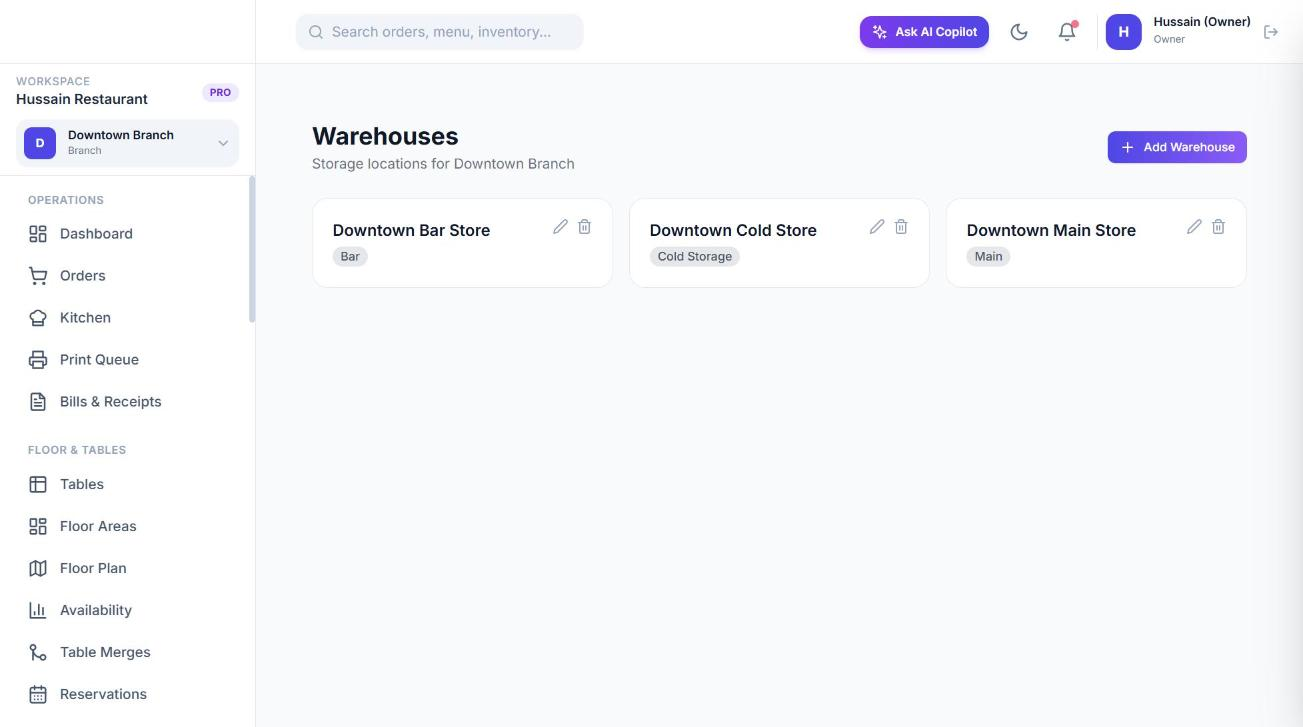
Go to Inventory → Warehouses and add one with a name and type. Warehouses belong to a branch. When a sale deducts stock, Sofra uses the branch’s main-type warehouse, or the first active warehouse if none is marked main.
Ingredients
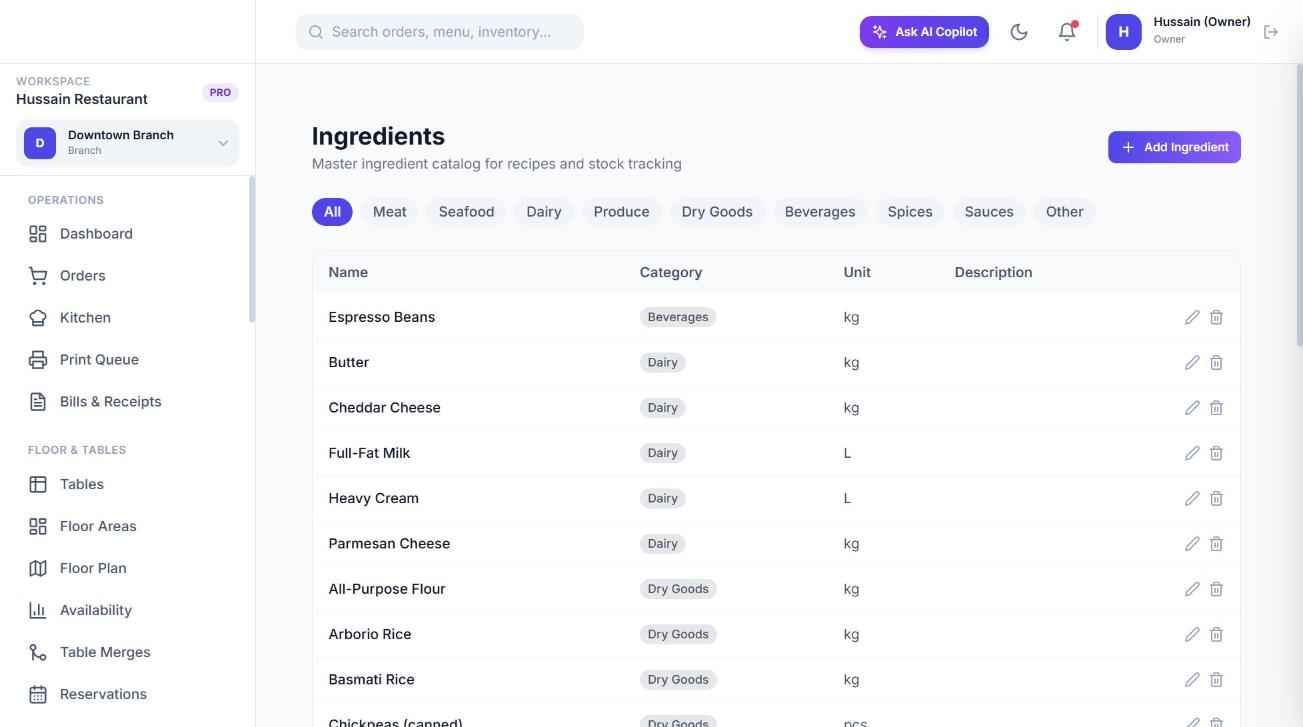
Go to Inventory → Ingredients and choose Add Ingredient. Units available: kg, g, L, ml, pcs, dozen, box and bag. Ingredients are shared by the whole restaurant; only their quantities are per warehouse.
Stock levels
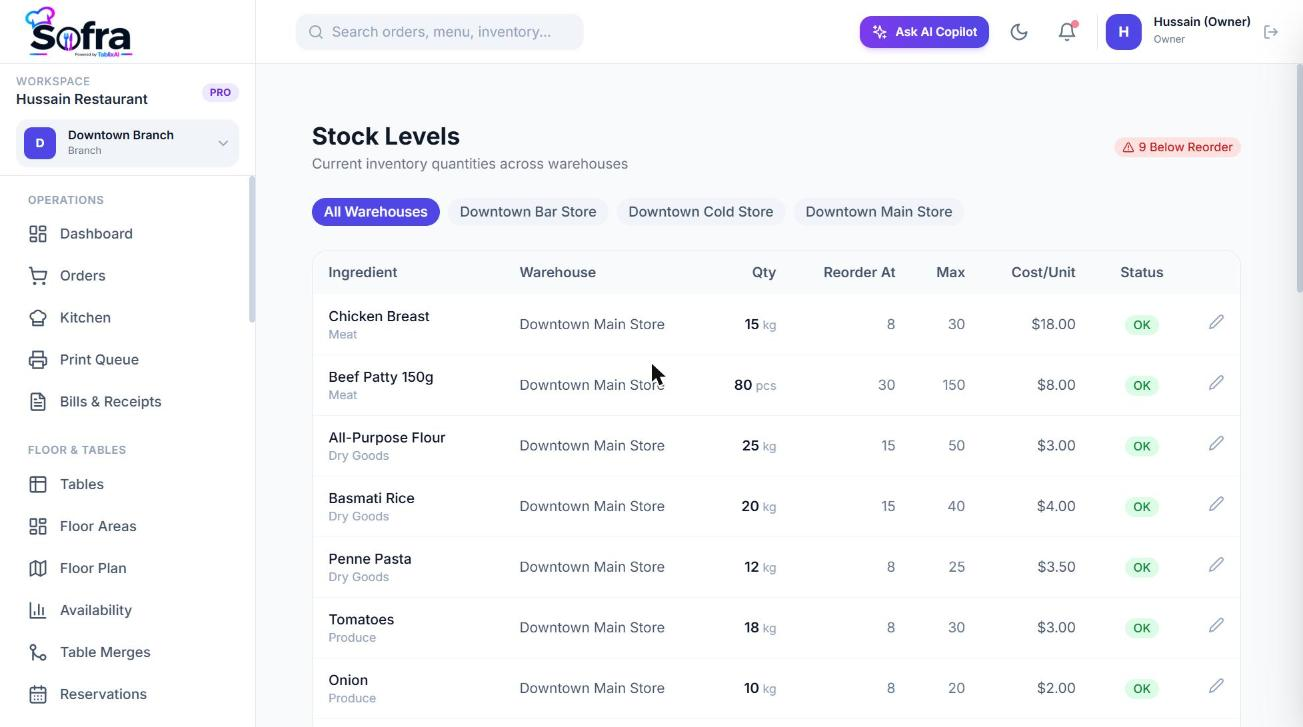
Inventory → Stock Levels shows the current quantity of each ingredient in each warehouse, with its unit, reorder level, max level and cost per unit. Items at or below their reorder level are flagged. You can adjust a stock item directly (for example after a count), which sets the figures without recording a movement.
Stock movements
Inventory → Movements is the full history of stock going in and out. Choose Record Movement to add one: pick the warehouse, ingredient, type, quantity, unit, cost per unit (optional) and notes.
| Type | Effect on stock |
|---|---|
| Receive | Adds stock (goods received). |
| Transfer in | Adds stock (from another warehouse). |
| Adjustment | Adds stock (a correction upwards). |
| Count | Adds stock (a counted figure). |
| Consume | Removes stock. Created automatically by sales. |
| Transfer out | Removes stock (to another warehouse). |
| Waste | Removes stock (spoiled or discarded). |
Each movement records who made it, when, and a reference (for sales, the order number). Recording a movement updates the stock level at the same time.
Low-stock alerts
A stock item with a reorder level above zero is a low-stock alert when its quantity is at or below that level. Alerts appear on the Inventory overview (Low Stock and Out of Stock counts) and on the dashboard’s inventory alert panel, and can be filtered to a branch.
Permissions
inventory:read to view; inventory:write to create ingredients, warehouses, movements and recipes and to adjust stock. Cashiers and waiters do not have it by default.
Ready to try it?
Create a free account and follow along.